
Every part of the Sabbath service, on one screen at the media desk.

Infinity Workspace brings the song book, the Bible, slides, sound, video and the livestream into one free app, so one volunteer can run the whole service calmly.

  • Free, with no account or ads
  • Windows 10 and 11, 185 MB
  • macOS 14 Sonoma or later
  • English and Bahasa Malaysia
  • Works without internet
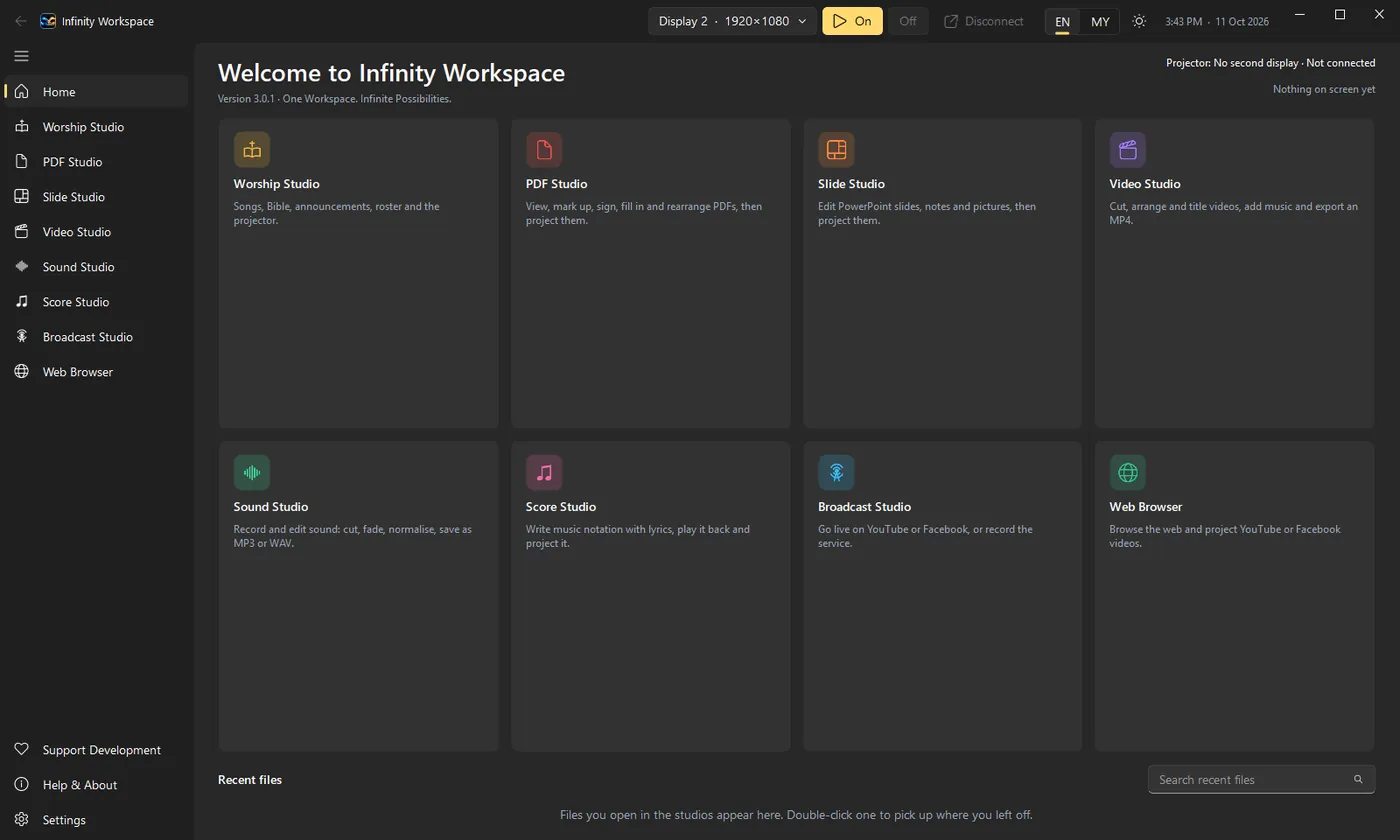
Home in Infinity Workspace
Every studio one click away, with the files you opened last.
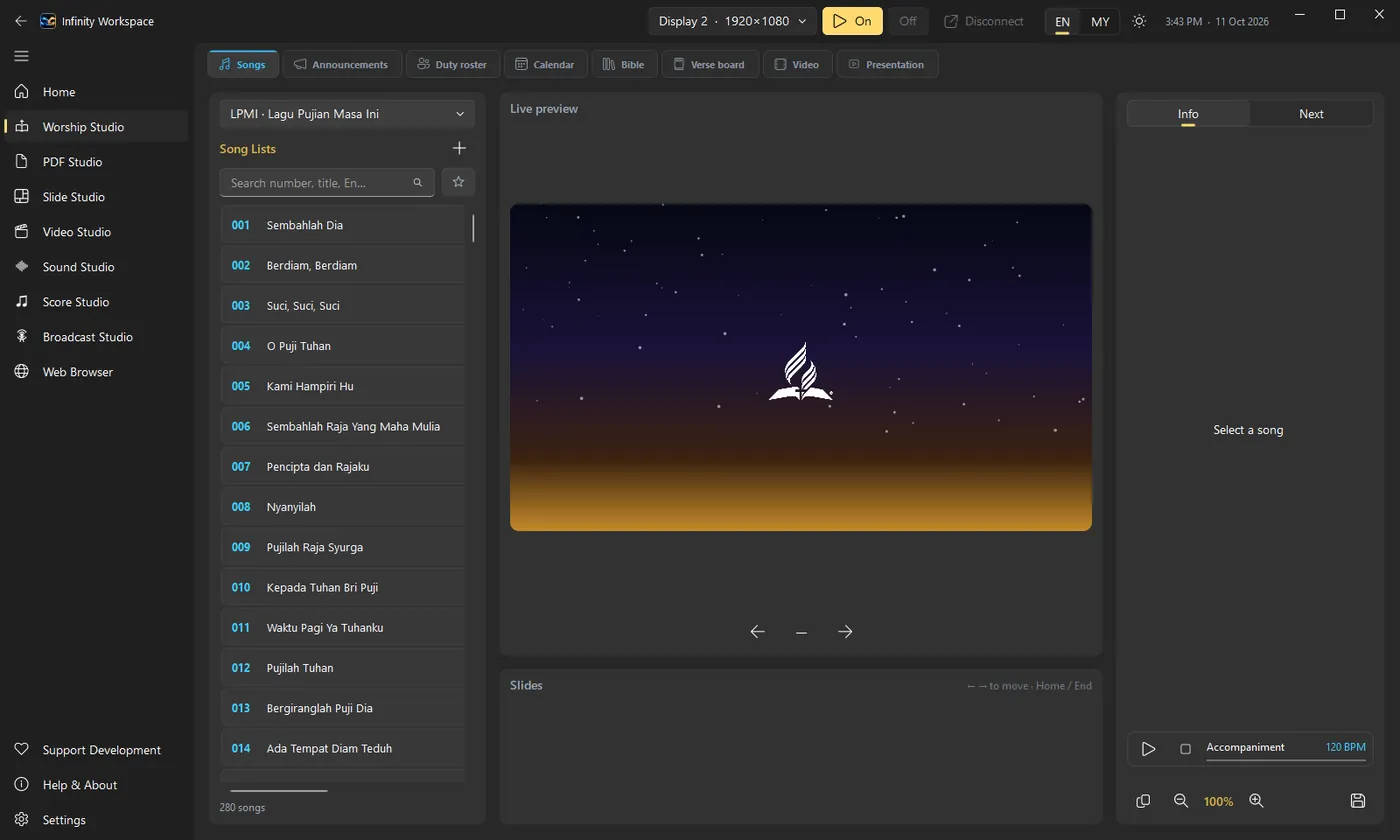
Worship Studio in Infinity Workspace
The song book with the live preview and slide controls, laid out for the media desk.
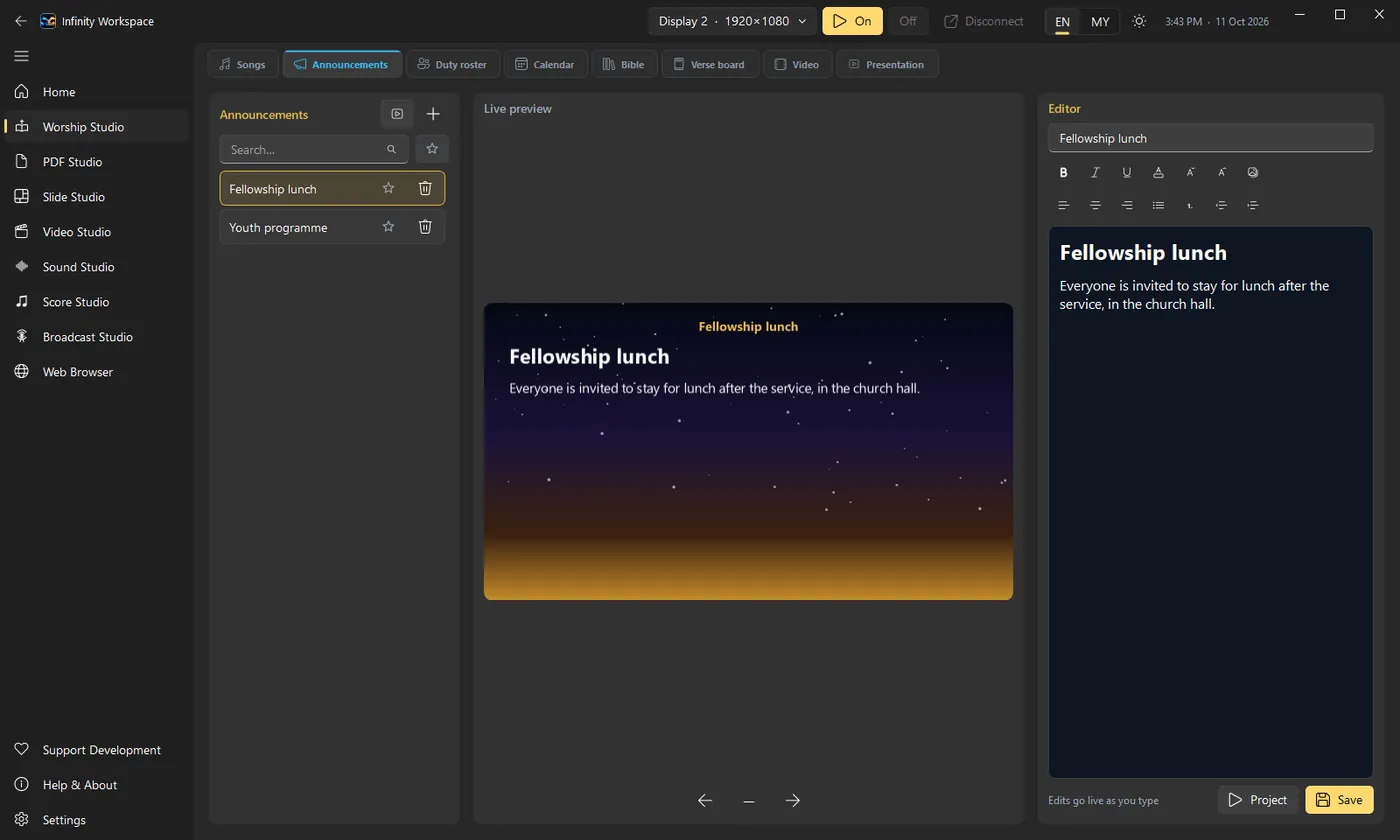
Announcements in Infinity Workspace
Write announcements with formatting and see them on the projector as you type.
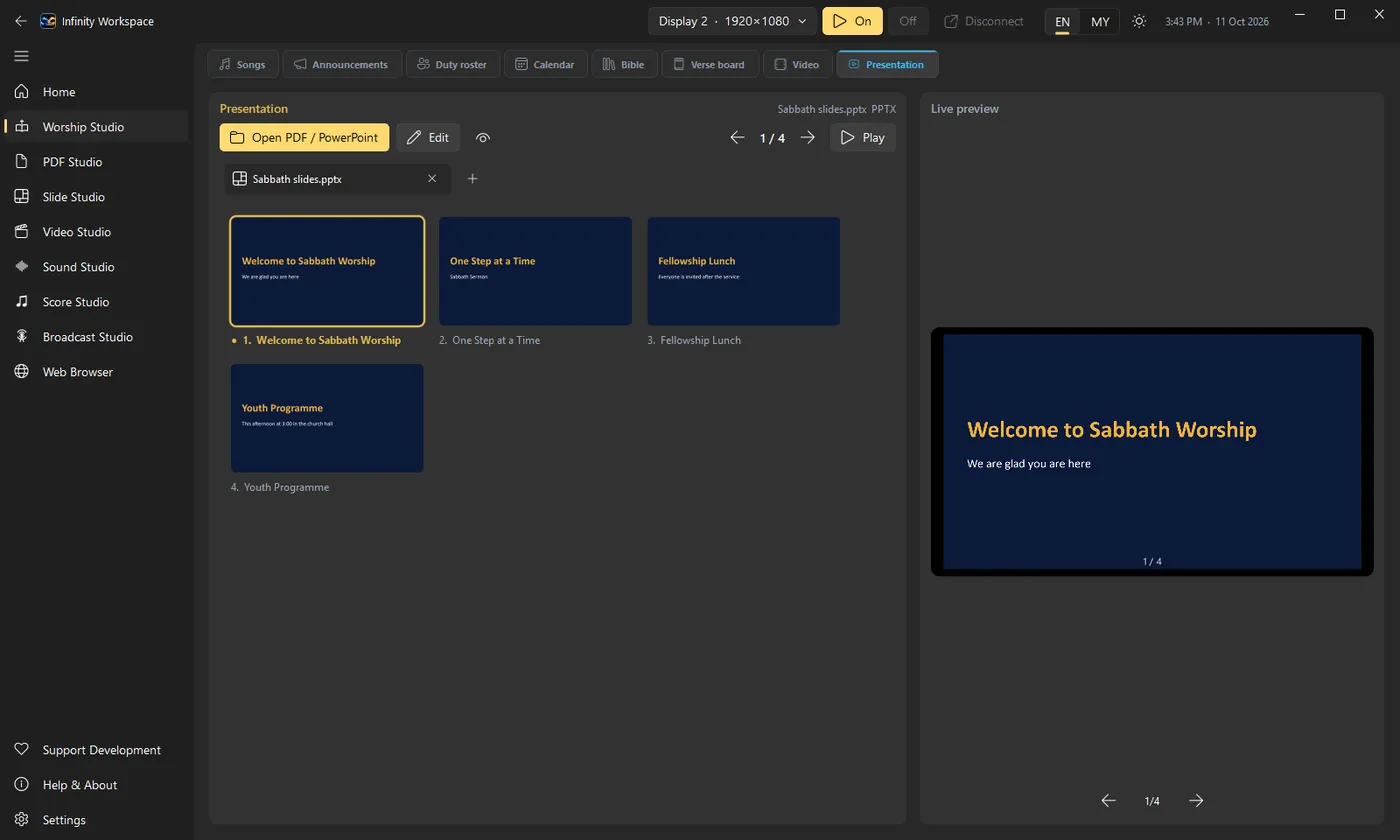
Presentation in Infinity Workspace
Open PowerPoint or PDF files in tabs and show them, no Office needed.
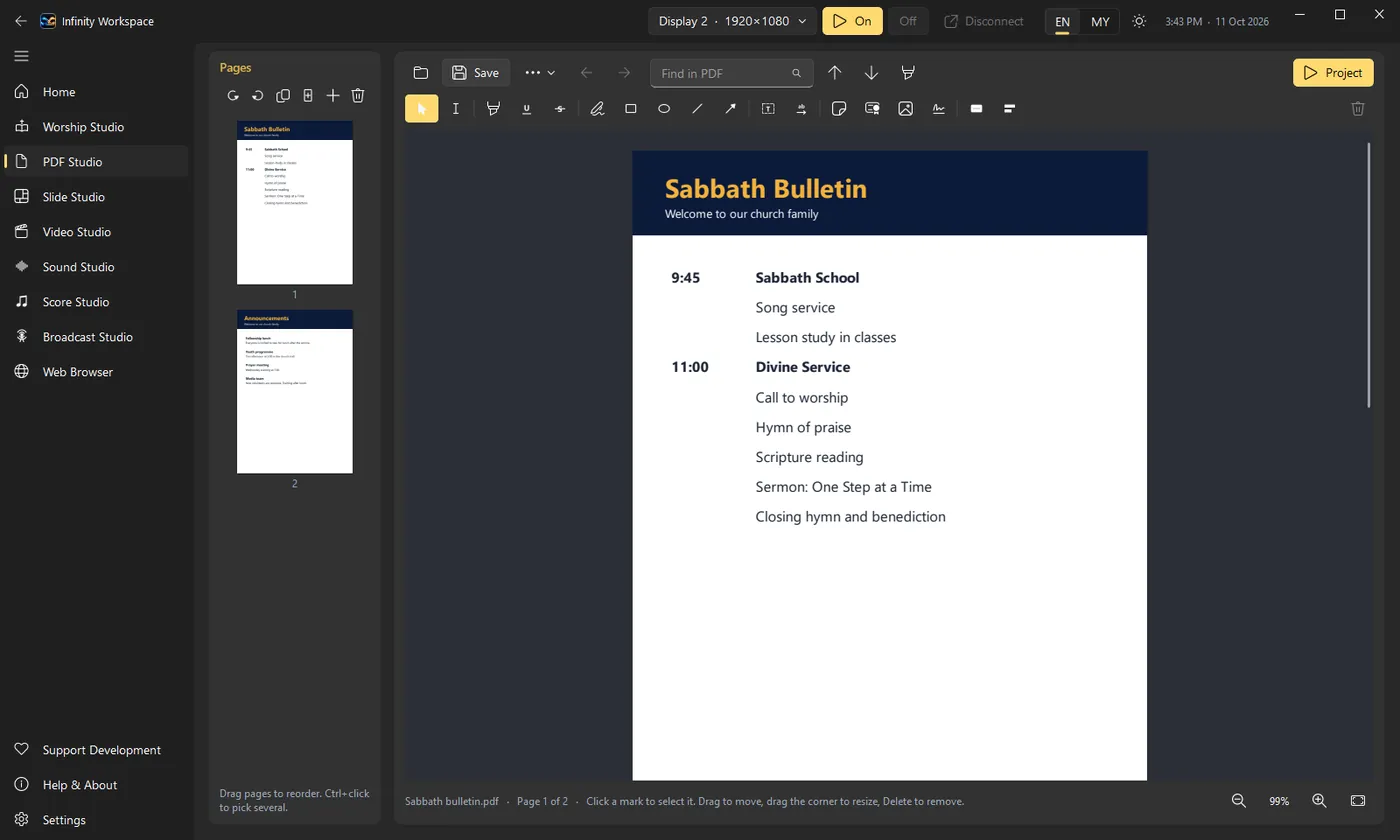
PDF Studio in Infinity Workspace
Mark up, sign and rearrange PDFs such as the Sabbath bulletin, then project them.
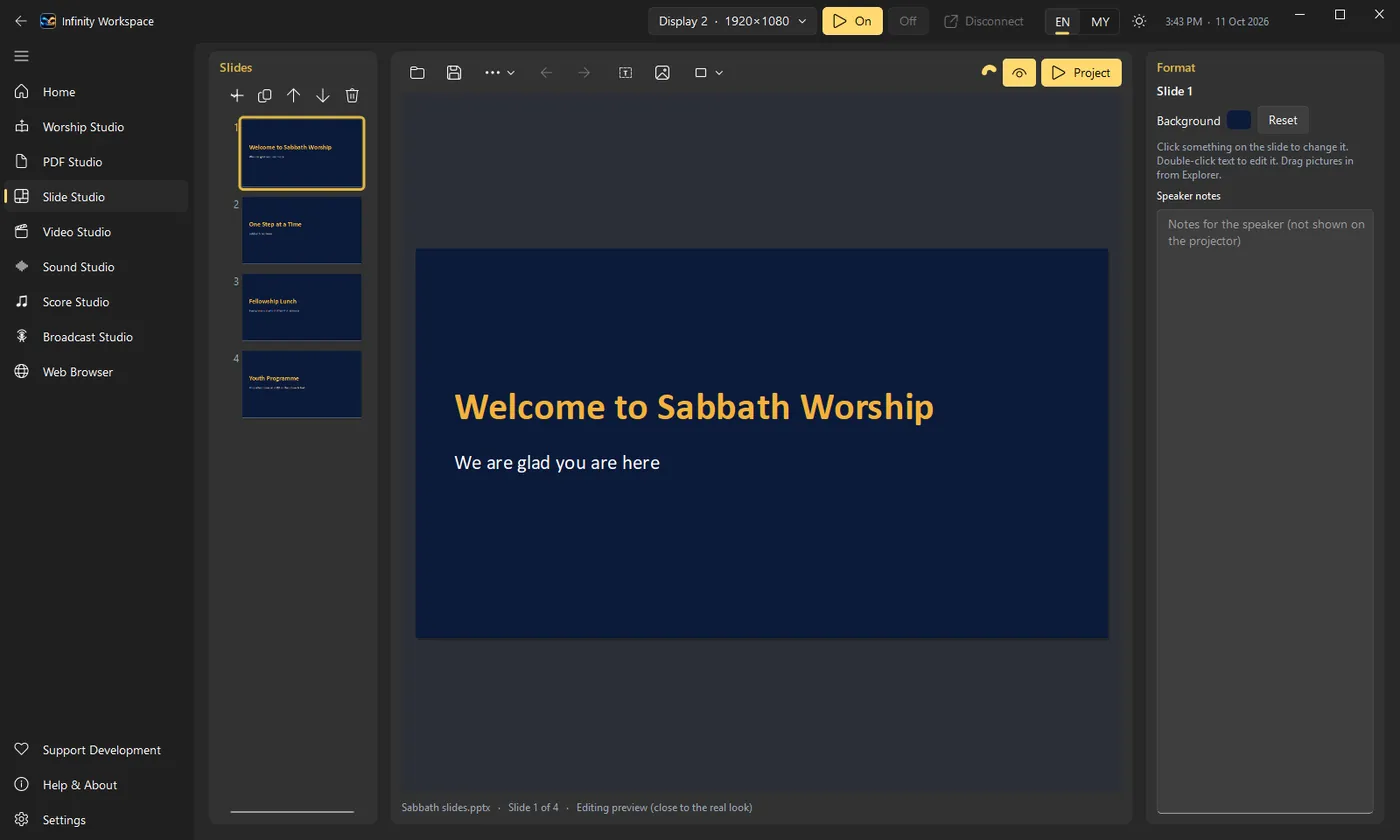
Slide Studio in Infinity Workspace
Edit PowerPoint slides, notes and backgrounds, then present them.
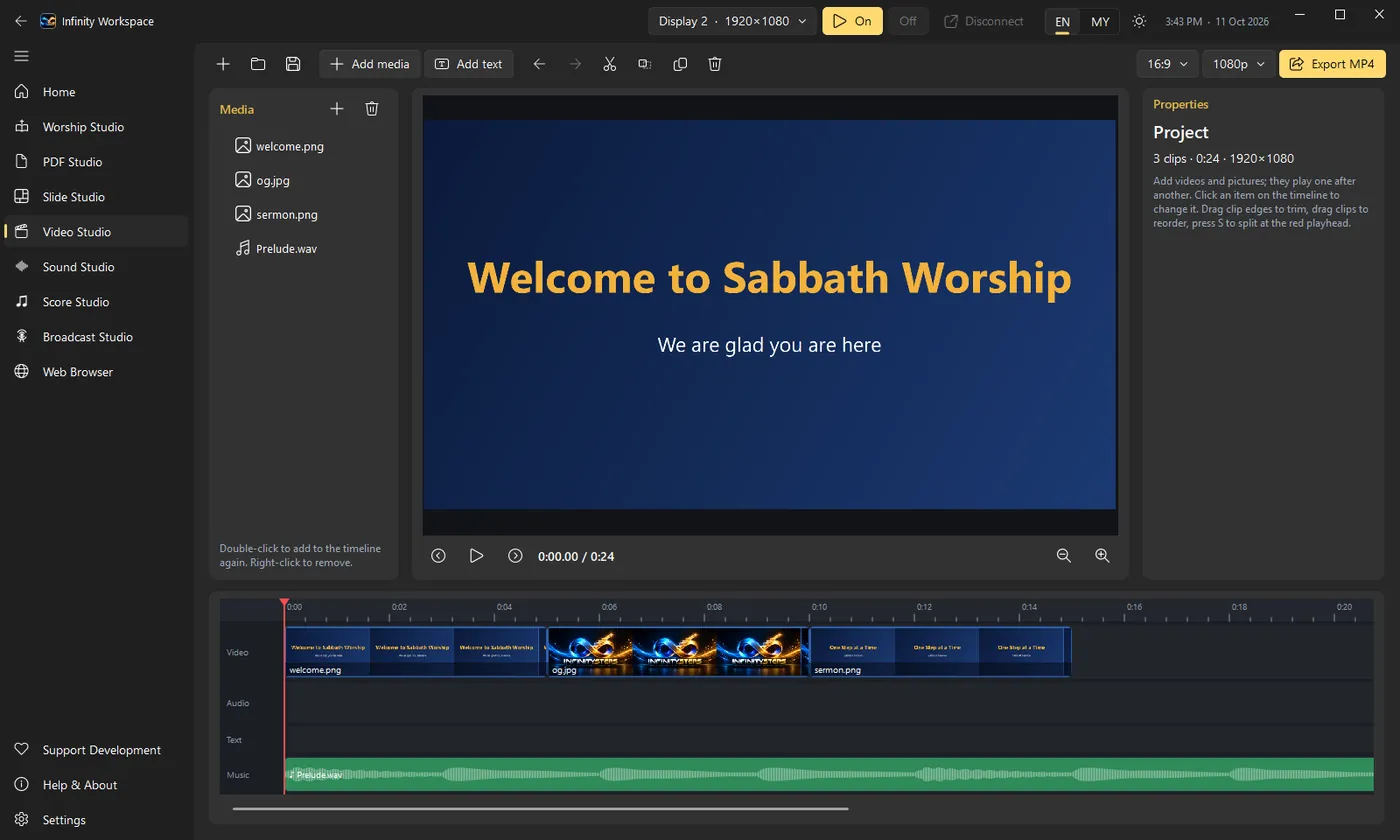
Video Studio in Infinity Workspace
Arrange pictures and clips with dissolves, titles and a music track, then export MP4.
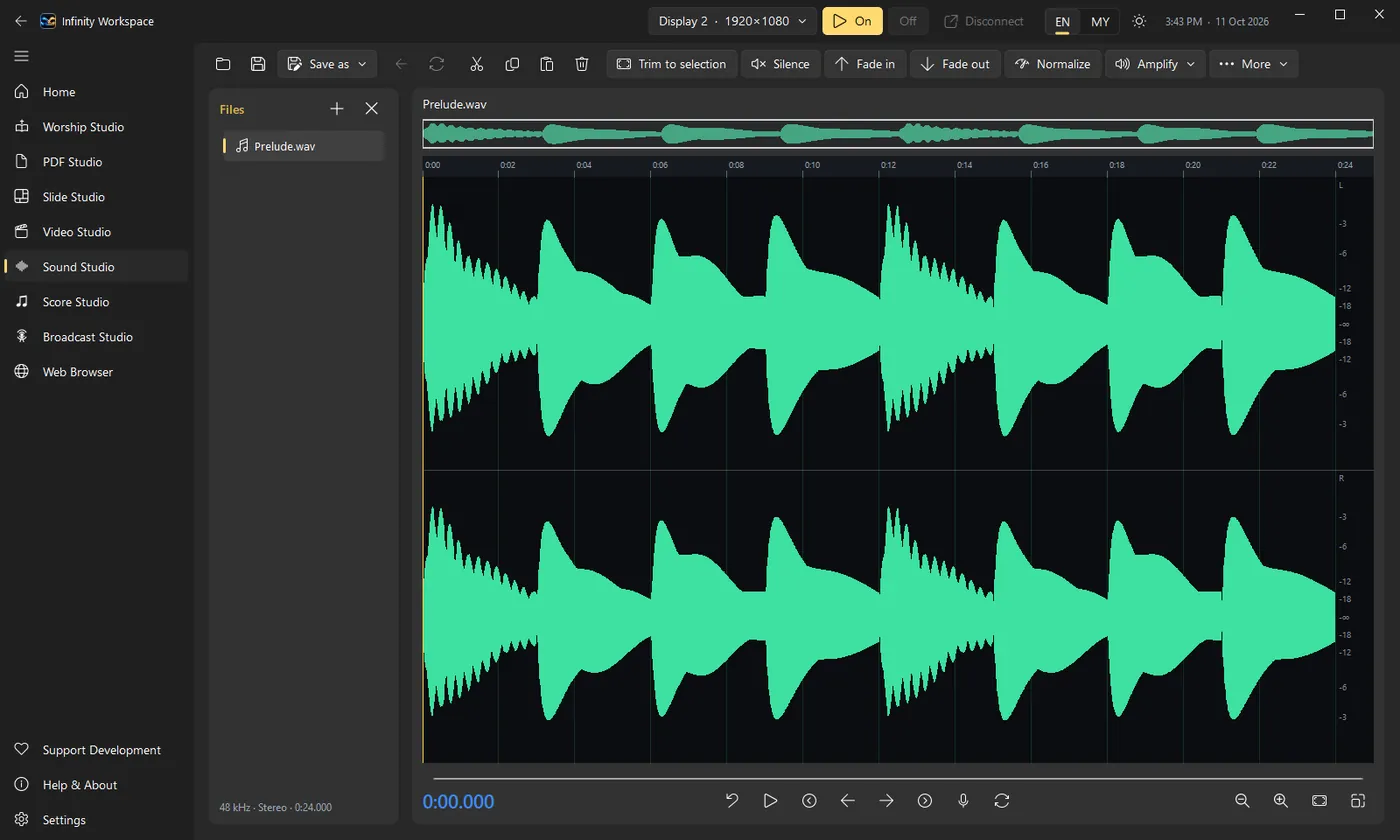
Sound Studio in Infinity Workspace
Record or open sound, cut, fade and normalise it, and save MP3 or WAV.
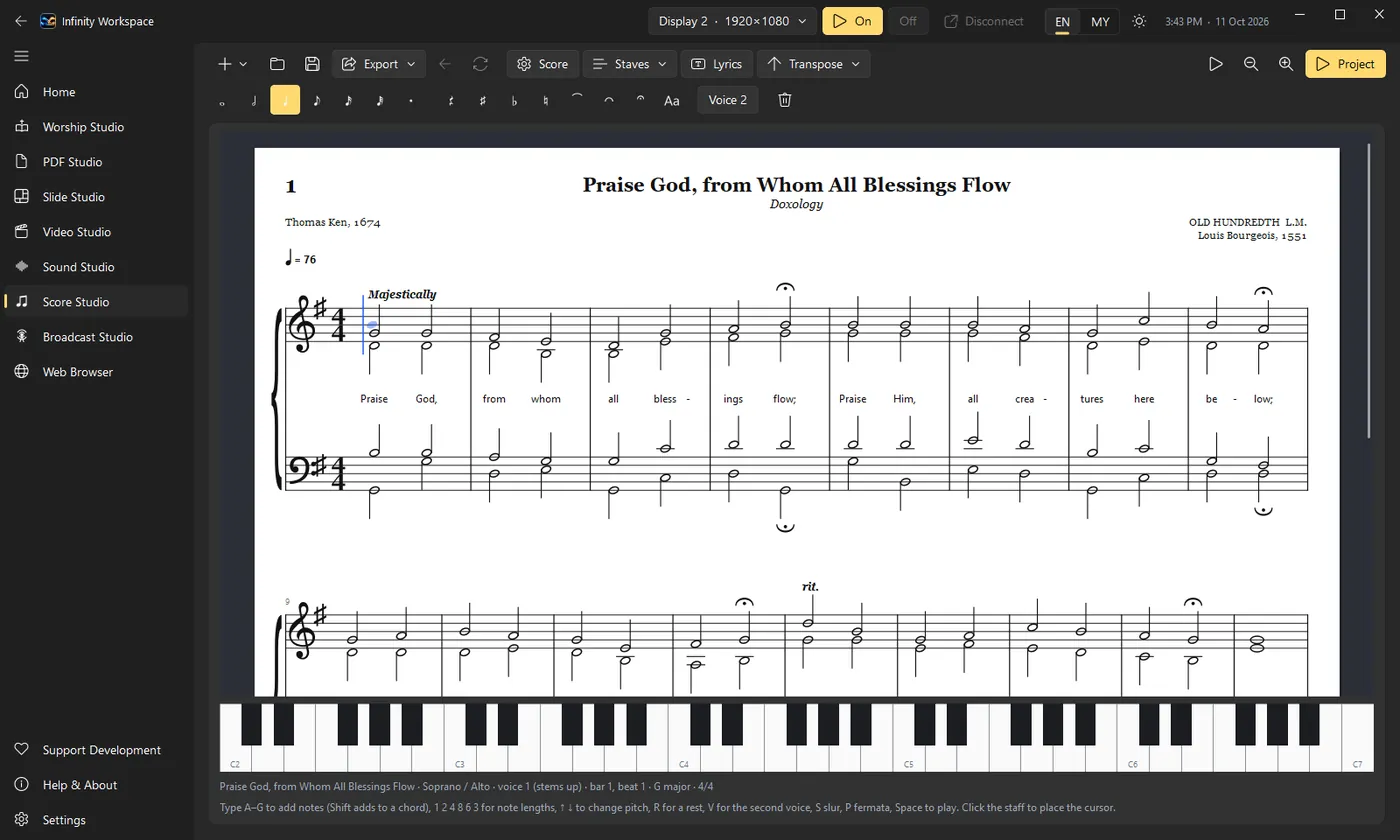
Score Studio in Infinity Workspace
Hymns in four parts with lyrics, ready to play back, print or put on the screen.
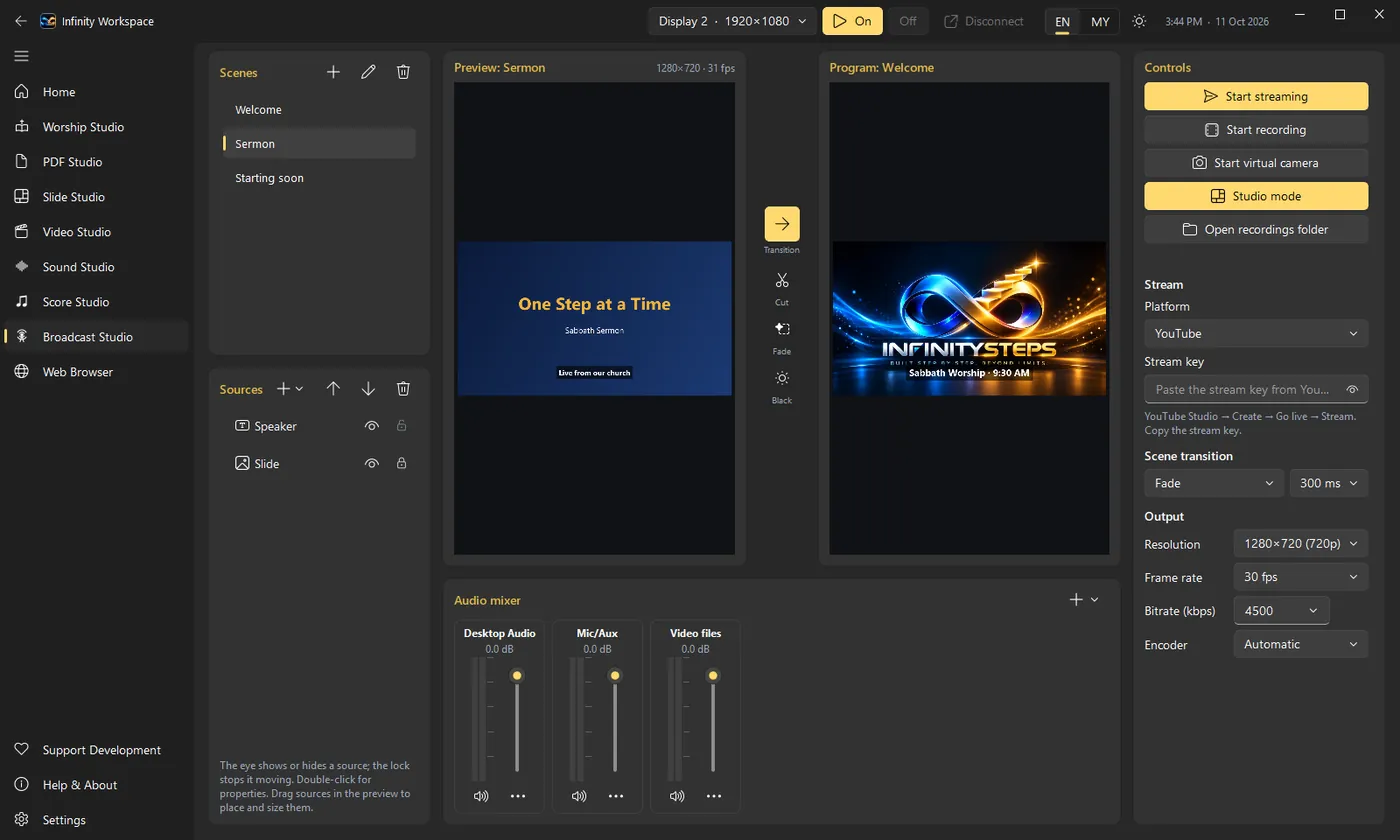
Broadcast Studio in Infinity Workspace
Prepare the next scene in the preview while the program stays on air.
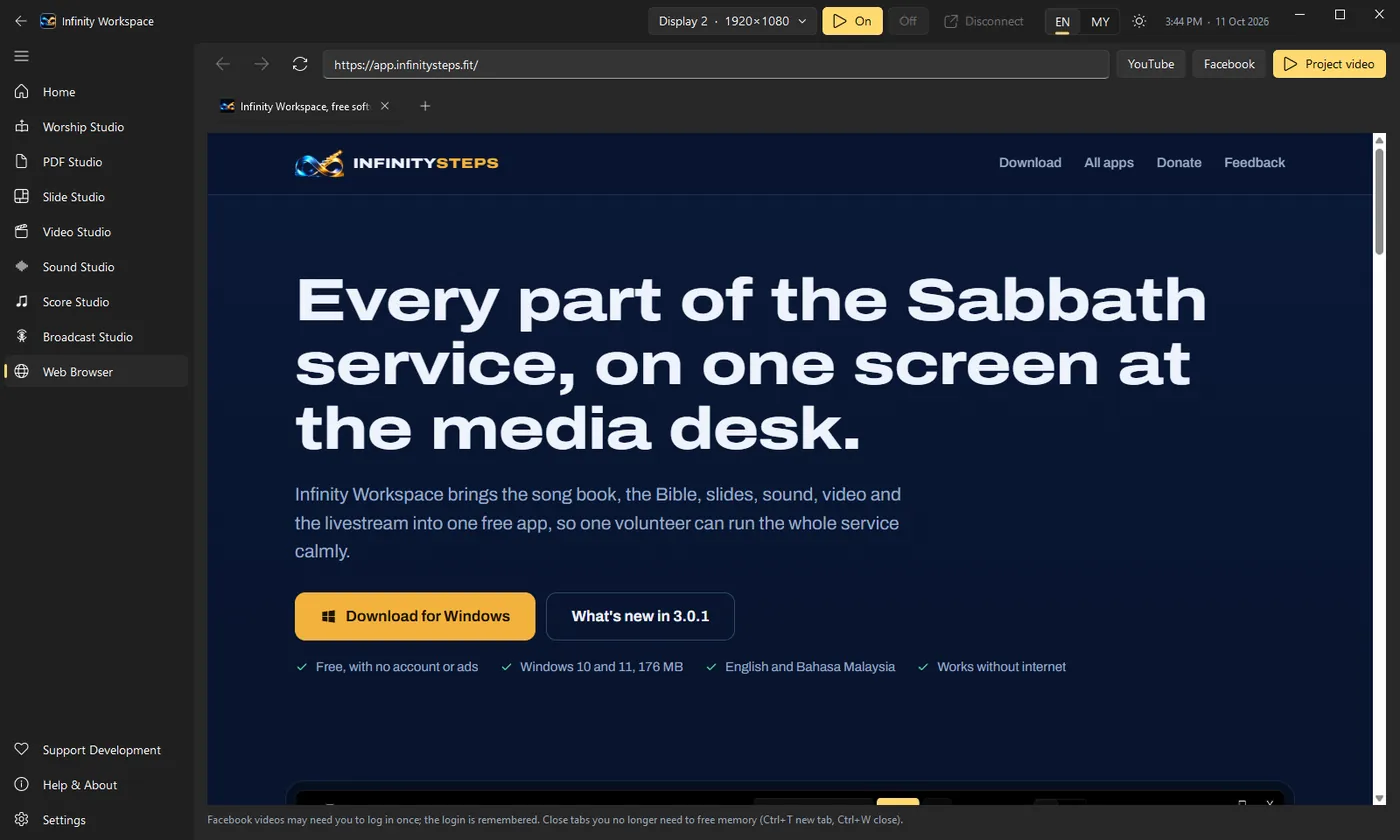
Web Browser in Infinity Workspace
Browse in tabs and play YouTube or Facebook videos full screen on the projector.

Built for the whole Sabbath

From Friday's preparation to the sermon video in the afternoon, each step of the day has its place in the app.

  1. Get ready

    Fill in the duty roster, write the announcements and open the sermon slides.

    Duty roster, Slide Studio

  2. Sabbath School

    Put the lesson, the announcements and who is on duty on the screen.

    Worship Studio

  3. Divine Service

    Hymns from the song book, scripture by reference and the sermon slides, each one click away.

    Songs, Bible, PDF Studio

  4. Online church

    Stream the service with the lyrics over the camera, and record it at the same time.

    Broadcast Studio

  5. Share the sermon

    Trim the recording, add a title and music, and post it the same afternoon.

    Video Studio

Eight studios, one projector

They share one screen, one look and one set of shortcuts, so the media team learns the app once.

Worship Studio

Songs from the song book, the Bible by reference, announcements, the duty roster and the projector.

PDF Studio

Mark up, sign, fill in and rearrange PDFs, then show them on screen.

Slide Studio

Edit PowerPoint slides and present them, without Office.

Video Studio

Trim and join clips, add dissolves, titles and a music track, export MP4.

Sound Studio

Record and edit sound, then save it as MP3 or WAV.

Score Studio

Write hymns in four parts with lyrics, play them back, print or project them.

Broadcast Studio

Stream to YouTube or Facebook and record, with studio mode, an audio mixer and a virtual camera.

Web Browser

Browse in tabs and play YouTube or Facebook videos full screen on the projector.

All InfinitySteps apps

One Workspace. Infinite Possibilities.

Infinity Workspace

Version 3.1.0, released 18 October 2026. One home for church media teams: Worship Studio for songs, Bible, announcements and the projector, plus PDF, Slide, Video, Sound and Score Studios, and an OBS-style Broadcast Studio for going live on YouTube and Facebook.

Help Infinity grow

Infinity Workspace is free for every church. Donations pay for development and new features, but they are never required, and ideas and bug reports help just as much.